WhatsApp Chatbot Builder
Create structured WhatsApp conversation flows to collect customer information, answer common questions and guide customers through business processes.
WhatsApp CRM and Business Automation
Manage customer conversations, automate replies, build WhatsApp chatbots and run broadcast campaigns from one business communication platform. Incoweb helps your team organize enquiries and manage customer interactions more efficiently.
Bring your business messaging and customer management workflows together.
Build intelligent WhatsApp workflows with Incoweb's visual drag-and-drop flow builder. Connect menus, automated messages and customer choices to create personalized conversation journeys.
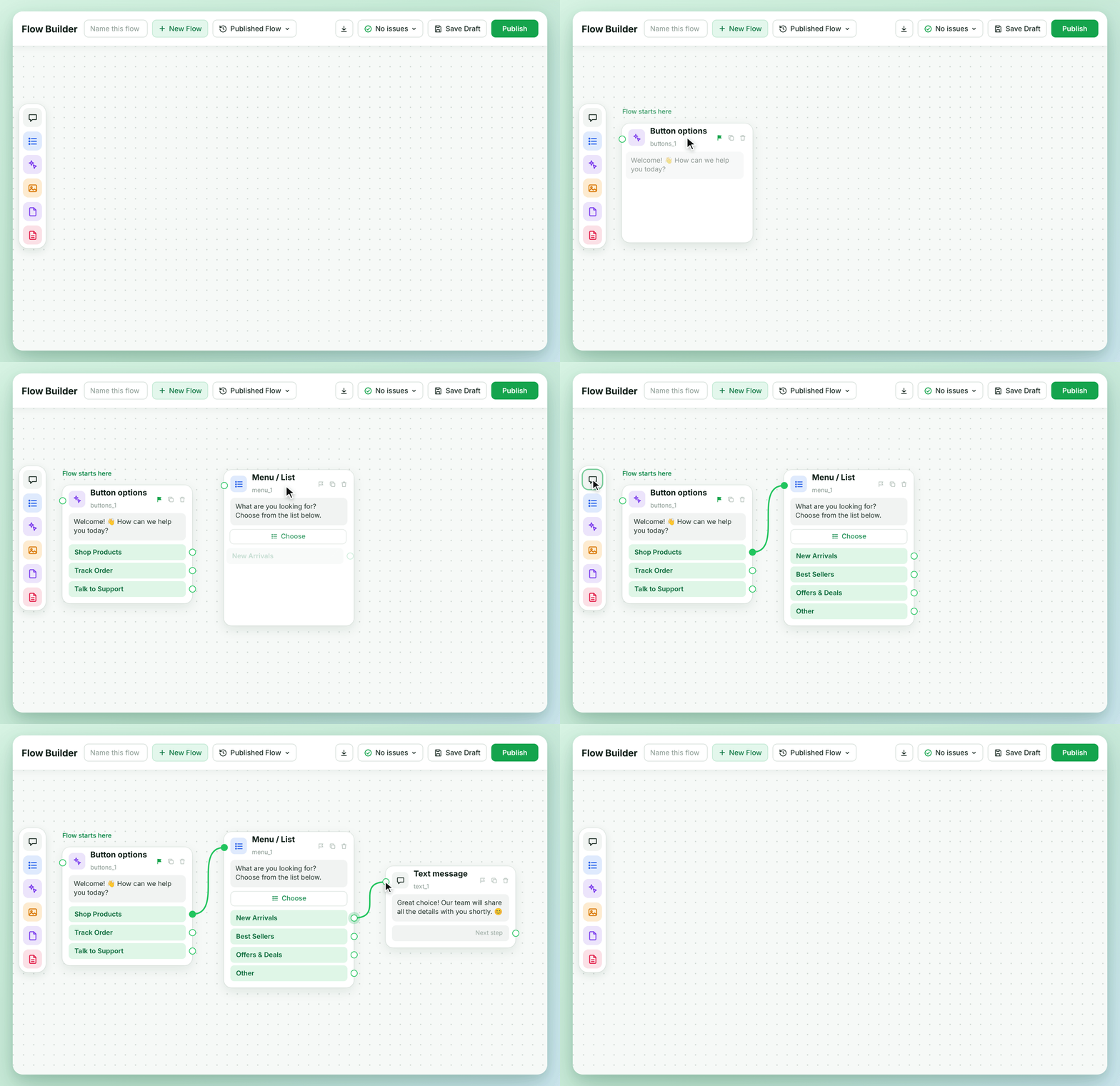
Design conversation journeys using connected workflow nodes.
Guide customers through structured WhatsApp conversations.
Create different conversation paths based on customer choices.
About Incoweb
Businesses receive enquiries, customer questions, appointment requests and follow-up messages throughout the day. Managing these interactions manually can make it difficult to maintain consistent communication. Incoweb brings messaging, customer management, automation and campaign tools together in one workspace.
Platform features
Manage conversations, automate repetitive tasks and organize customer interactions using one platform.
Create structured WhatsApp conversation flows to collect customer information, answer common questions and guide customers through business processes.
Organize and send WhatsApp template message campaigns to eligible customer contacts. Manage campaign communication from one dashboard.
Manage customer conversations in a unified inbox and help your team coordinate responses and follow-ups.
Organize customer contacts and maintain useful information for business communication and campaign management.
Configure automated conversation flows and triggers for customer enquiries, reminders and business follow-ups.
Review available campaign and messaging performance information to understand customer engagement.
Organize your communication process from the first customer enquiry to ongoing follow-ups.
Connect your eligible WhatsApp Business account through the supported onboarding process.
Set up conversation flows, organize contacts and prepare the messaging workflows your business needs.
Use the dashboard to manage conversations, campaigns and customer follow-ups.
Business benefits
A structured communication process helps teams organize customer enquiries, maintain follow-ups and manage repetitive messaging activities.
Keep customer communication accessible to your team.
Use configured workflows to support customer follow-ups.
Manage your WhatsApp messaging activities from one workspace.
WhatsApp CRM software helps businesses manage customer conversations, organize contact information, coordinate team responses and automate messaging workflows using WhatsApp Business communication capabilities.
Incoweb supports configured conversation flows, automated replies, triggers, reminders and customer communication workflows.
Incoweb supports WhatsApp broadcast campaigns using eligible contacts and approved message templates, subject to Meta's applicable policies and messaging rules.
Incoweb is built around WhatsApp Business Platform integration. Account onboarding, messaging permissions and applicable Meta policies determine the available capabilities.
Meta messaging charges are separate from Incoweb subscription charges where applicable. Check the current Meta pricing and your Incoweb plan before sending campaigns.
Bring your customer conversations, broadcast campaigns and business workflows into one organized platform.